


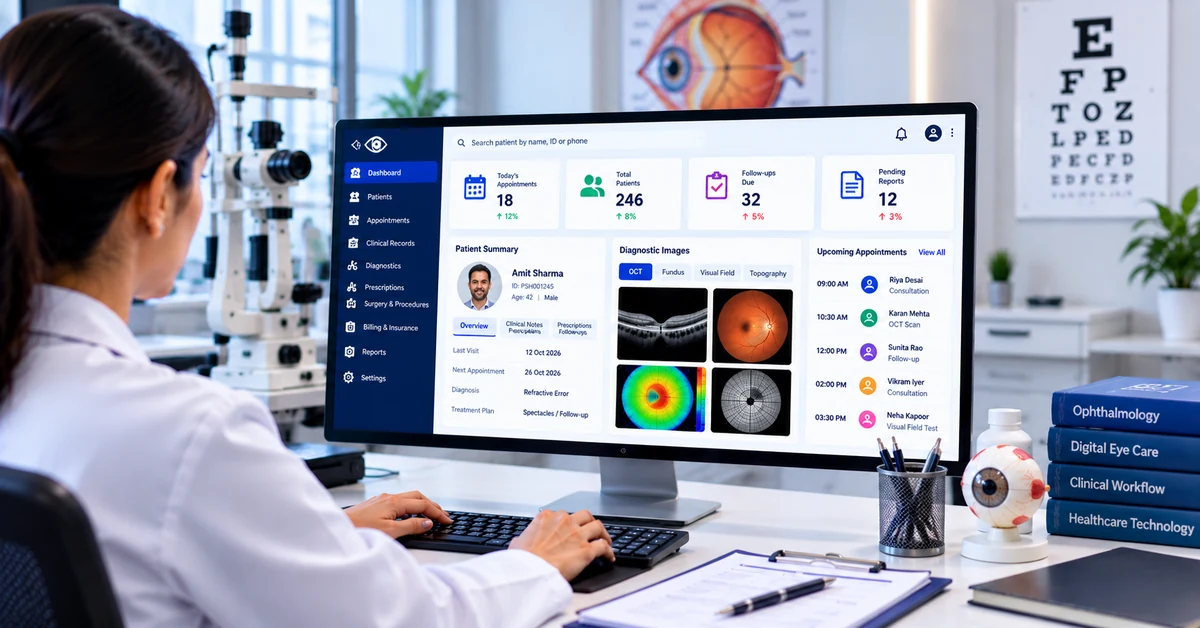
Eye clinics manage several interconnected activities every day, from patient registration and consultations to diagnostic assessments, prescriptions, billing, and follow-up appointments. When these activities rely on disconnected systems or manual processes, healthcare teams may spend valuable time coordinating information instead of focusing on patient needs.
Digital workflows can help organize these activities by making information easier to access, reducing repetitive administrative tasks, and improving coordination between clinical and administrative teams. For eye care providers, the goal is not simply to replace paper records but to create a more consistent and manageable patient journey.
Why Efficient Workflows Matter in Eye Clinics
Ophthalmology practices often handle detailed examination findings, diagnostic images, prescriptions, treatment plans, and recurring follow-up visits. Each stage requires accurate documentation and effective communication.
When information is scattered across different systems, staff may need to enter the same details repeatedly or search through multiple records. Appointment delays, incomplete documentation, and missed follow-up reminders can also create operational difficulties.
A well-planned digital workflow connects relevant activities and establishes clear processes for managing information. This can help clinics improve organization while allowing healthcare professionals to retain control over clinical decisions.
1. Simplifying Patient Registration and Documentation
Patient registration is often the first administrative step in a clinic visit. Collecting information manually can increase paperwork and create opportunities for data-entry errors.
Digital registration workflows can help staff capture patient details in a structured format and make relevant information available to authorized healthcare professionals. Standardized documentation can also support consistency across consultations.
Clinics should establish procedures for checking patient details, updating records, and correcting inaccurate information. Digital tools are most useful when supported by clear processes and appropriate staff training.
2. Coordinating Consultations and Appointments
Appointment management is particularly important for clinics handling consultations, diagnostic tests, procedures, and follow-up visits.
A digital scheduling system can help staff manage doctor availability, coordinate appointment slots, and maintain visibility into upcoming consultations. Reminder functionality, where available, may also help patients keep track of scheduled visits.
For clinics with multiple doctors or locations, standardized scheduling procedures can reduce confusion and make resource planning easier. Staff should also have a clear process for cancellations, urgent cases, and appointment changes.
3. Organizing Diagnostic Information
Eye care professionals may use diagnostic technologies to assess different aspects of eye health. The resulting reports and images need to be documented and retrieved appropriately.
Digital workflows can help organize diagnostic information alongside relevant clinical notes. Depending on the systems in use, integration with compatible diagnostic equipment may reduce manual transfers and simplify access to reports.
Before adopting a solution, clinics should verify which devices and file formats it supports. Diagnostic information should be reviewed and interpreted by qualified professionals rather than treated as a substitute for clinical assessment.
4. Improving Continuity Between Consultations
Eye care often involves more than one visit. Patients may need additional investigations, treatment adjustments, surgical assessments, or post-treatment reviews.
Consistent documentation helps healthcare professionals understand previous findings and identify the next steps in a patient’s care plan. Organized follow-up processes can also help administrative staff coordinate appointments and communicate relevant instructions.
An Ophthalmology EMR system can support structured clinical documentation and access to relevant patient history, depending on the platform’s capabilities and access permissions. This phrase can link to your main service page.
Digital records alone do not guarantee continuity of care. Clinics must also ensure that records are updated accurately and that appropriate professionals review the information when making clinical decisions.
5. Connecting Billing and Administrative Processes
Clinical activities are closely connected with registration, billing, payment collection, and insurance administration. When these processes operate separately, staff may need to enter the same information multiple times.
Integrated administrative workflows can help coordinate patient details with relevant billing activities. Depending on the platform, clinics may also be able to generate invoices, track payments, and prepare operational reports.
Healthcare providers should evaluate how the system handles billing corrections, insurance requirements, and financial data security before implementation.
6. Supporting Better Communication Between Teams
Effective communication helps doctors, nurses, diagnostic technicians, reception staff, and administrators coordinate their responsibilities.
Digital workflows can make task ownership clearer by defining who records information, who reviews reports, and who arranges follow-up appointments. Shared procedures can reduce misunderstandings and make routine activities more predictable.
However, digital notifications and task assignments should be designed carefully. Important clinical information must reach the appropriate professional without creating excessive alerts or unnecessary administrative work.
7. Protecting Patient Information
Digital healthcare workflows require strong information-management practices. Patient records may contain sensitive personal details, examination findings, diagnostic reports, and treatment information.
Clinics should evaluate user permissions, secure authentication, audit trails, backup procedures, and data-retention policies when selecting healthcare technology. Access should be limited to authorized users who need the information for their responsibilities.
Staff training is equally important. Employees should understand how to protect confidentiality, avoid unauthorized sharing, and follow the clinic’s data-handling procedures. Healthcare organizations must also assess applicable privacy and regulatory requirements.
8. Measuring Workflow Performance
Digital systems may provide reports that help clinic administrators understand operational performance. Depending on the available features, useful indicators may include appointment attendance, waiting times, patient volumes, follow-up completion, and administrative processing time.
These measurements can help managers identify bottlenecks and assess whether workflow changes are making a practical difference.
Clinics should choose indicators that reflect their actual objectives rather than collecting data simply because it is available. Reports should be interpreted in context and used to support operational decisions, not as a replacement for professional judgment.
How to Introduce Digital Workflows Successfully
Implementing new technology requires planning. Eye clinics can begin by identifying the processes that create the greatest administrative burden, such as appointment scheduling, diagnostic documentation, or follow-up coordination.
The next step is to map the existing workflow and determine where delays or repeated tasks occur. Clinics should then compare suitable software options, verify integration requirements, and assess security and support arrangements.
A phased implementation may help staff become familiar with the system before additional workflows are introduced. Training, feedback, and periodic reviews can help identify problems early and improve adoption over time.
How Purple Sky Health Supports Digital Healthcare
Purple Sky Health provides a cloud-based digital healthcare platform designed to support activities such as patient records, appointments, billing, insurance workflows, and analytics.
Healthcare organizations can evaluate its available capabilities against their operational requirements when planning digital transformation. Before implementation, clinics should confirm that the selected configuration meets their clinical workflow, integration, security, and regulatory needs.
The most effective digital approach is one that supports healthcare professionals, improves coordination, and remains practical for everyday use.
Conclusion
Efficient digital workflows can help eye clinics organize patient information, coordinate appointments, manage diagnostic documentation, and improve administrative processes. The benefits depend on choosing suitable technology and combining it with consistent procedures, staff training, and responsible information management.
By identifying workflow challenges and introducing appropriate improvements, eye care providers can build a more organized operational environment while keeping patient care at the centre of their decisions.